Q&A Mode: Engage Your Audience with Enhanced Interactivity
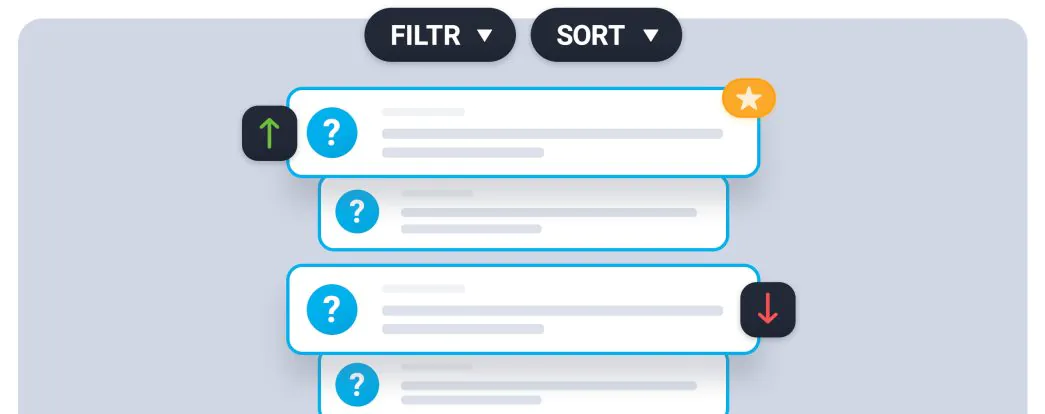
The Q&A (Question and Answer) mode is now even better at helping you interact with your webinar participants in a simple yet engaging way. This feature improves event organization and encourages active participation from your audience. Let me walk you through the exciting new enhancements to the Q&A mode!
How Does Q&A Mode Work?
First, a quick refresher: In the chat settings window, you can enable Q&A mode. When activated, questions asked by participants in the chat during your event are automatically moved to a special tab.

Organizers, presenters, and moderators can also manually mark any messages as questions, even if they don’t end with a question mark.

Then, at any point during your event—for example, after finishing your presentation—you can display these questions and answer them. They’ll appear in the presentation window, making them highly visible to everyone. This dedicated Q&A session helps you maintain control over your event flow while encouraging participants to ask questions.

New Features for Better Q&A Organization
The “Questions” tab has received several new features that make managing Q&A sessions even simpler:
- Priority Marking: Presenters, organizers, and moderators can now create a hierarchy of questions by marking selected ones with a star. You can also mark questions as rejected without removing them from public chat windows.
- Question Voting: Participants now have access to the “Questions” tab and can like questions. This creates a quick voting system that helps you identify which questions are most important to your audience.

- Visual Indicators: Both likes and stars are visible during the Q&A session, making it easy to see which questions are popular or prioritized.
- Quick Sorting: Create a question hierarchy based on the number of likes or submission time, so you’ll never wonder which question to answer first.
- Filtering Options: Filter questions by category (starred, liked, rejected, published) for better organization.
Put Q&A Mode to the Test
As you can see, with the enhanced Q&A mode, organizing engaging online events on ClickMeeting is easier than ever. The best way to experience these tools is to try them for yourself!
Try ClickMeeting free for 14 days with no obligations and discover how these features can transform your online events.