See How to Reach Millions of Viewers: Discover Multistreaming!
Webinars help achieve various goals. They’re particularly effective when you want to reach the largest possible audience, for example, to build your expert brand or promote your products, courses, or… paid webinars.
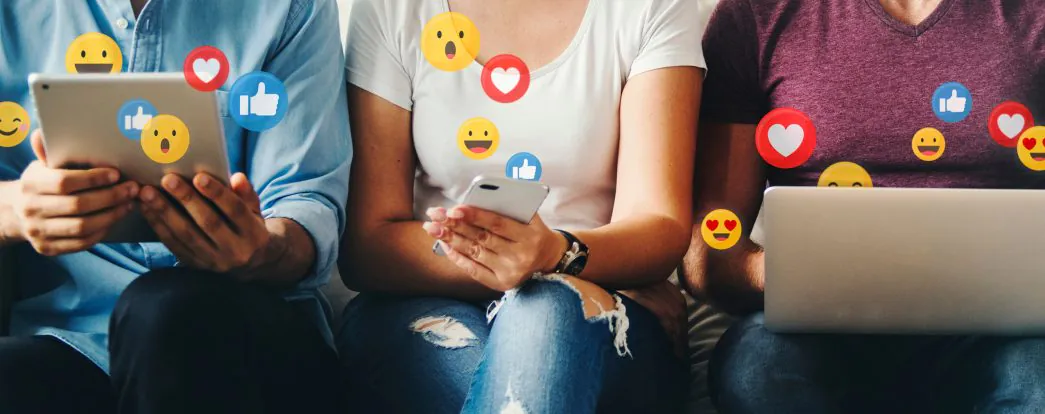
How can you most effectively reach even millions of people simultaneously? Of course, you need to be where your audience is. And they certainly use social media. But here’s another challenge: one person might be scrolling through Facebook, another catching up on news on X, a third browsing photos and reels on Instagram, a fourth following streams on Twitch, and someone else might prefer short video formats on TikTok.
How to connect all of this? That’s exactly why you have ClickMeeting! Below, you’ll read about how to simultaneously broadcast your event on multiple social media platforms to reach the largest possible audience. How many exactly? Here, there really are no limits!
How Does Multistreaming Work? Broadcast on Any Platform!
Let’s start with some essential information about this feature. Multistreaming allows you to broadcast your event simultaneously on up to five platforms. And essentially anywhere:
- YouTube
- X
- Twitch
- TikTok
- Vimeo
- Telegram
- Services not on the list through custom RTMP URL
As you can see, all popular social media services are available, which together have… over 11 billion users. Here’s the proof:
2.7 billion YouTube + 2.958 billion Facebook + 1 billion LinkedIn + 2 billion Instagram + 0.45 billion X + 0.14 billion Twitch + 1 billion TikTok + 0.2 billion Vimeo + 0.7 billion Telegram
And if you want to broadcast somewhere else, you can always configure your own stream using a custom RTMP URL. The possibilities are essentially unlimited.
How to Broadcast on Multiple Platforms Simultaneously?
Configuring multiple streams and reaching so many people worldwide must be difficult, right? Nothing could be further from the truth! See what needs to be done.
Before your first stream, click this icon in the event room’s side menu.

A window will appear where you can configure platforms.

Click “Edit,” then enter the required data. To expand the full list of services, click on “Platforms.”
Then simply mark where you want to broadcast using the appropriate switches. Of course, you can turn off specific streams at any time using the same method. Click the “Go Live!” button to start streaming. Done!
Marketing Event? Broadcast on Social Media!
Okay, now you know what multistreaming on social media is and how to enable it. It’s time to look at scenarios where this feature will be particularly useful.
Social media are certainly natural allies for marketing events. And there are really quite a few of them! According to our latest State of Online Events report, almost every fifth event on ClickMeeting in 2024 was of this nature.

When is it worth enabling broadcasting on as many social media platforms as possible where your brand is present?
- Brand Building: you certainly want to increase your brand recognition, whether you’re building a personal brand or developing a larger business. Broadcasting valuable content on multiple platforms simultaneously allows you to reach diverse audience groups and build a consistent expert image in your field. Regular appearances across different social media platforms ensure that your brand is more effectively remembered by potential customers.
- Product and Service Launches: imagine you’re introducing a new, innovative product to the market. Instead of organizing several separate presentations, you can conduct one dynamic event that reaches all interested parties simultaneously. This not only saves time but also creates consistent marketing messaging across all platforms.
- Q&A Sessions with Experts: Your customers certainly have many questions about your products or services. By organizing a question-and-answer session with experts in multistream format, you give users across different social media platforms the opportunity to engage with the content. This is an excellent way to build an engaged community around your brand.
- Educational Training and Workshops: multistreaming allows you to reach a much wider audience with valuable knowledge. Remember that each platform has its specifics — for example, LinkedIn users might be particularly interested in business content, while TikTok audiences prefer more dynamic, condensed formats. Take this into account when creating your strategy.
- Industry Events: how about creating a large congress, summit, or other event where you’ll invite experts to examine important issues together? This is an excellent way to build a professional image, and broadcasting in several places simultaneously will guarantee enormous reach.
Promote Your Paid Events and Earn More!
Webinars are an excellent way to directly monetize your knowledge. And our experts are truly experts in this field. Take a look at how much the best performers earned in the previous year:

To earn from webinars, you need two things. First, an online events platform that gives you access to an intuitive ticketing system and integration with your accounting systems. Of course, you have this with ClickMeeting. Second, you need promotional tools. These will enable you to reach people who will be interested in purchasing tickets. Rest assured: you also have this in ClickMeeting. And at every stage of the funnel.
We have a webinar perpetuum mobile that will allow you to promote your paid webinars, generate leads (contact information of potential customers), and finally complete the purchase.
Samir Kayyali does this successfully — he’s a tax advisor who earns money from paid training sessions on ClickMeeting, and social media presence is one of the pillars of his business.
Samir successfully uses a proven scheme:
“Some of the webinars I create are free 50-60 minute content. It’s 100% substantive material, no scams, 100% solid content. However, this free content has a specific purpose because I advertise my paid training through the call-to-action function during these sessions.”
You can expand this scenario in an incredibly simple way by adding just one more element. Simply broadcast your free promotional webinars simultaneously on your social media channels. The greater the reach, the more people will learn about your paid webinars. And that also means higher profits! Remember, however, that you need to ensure appropriate mechanisms that allow social media users to learn about your offer, sign up for upcoming webinars, subscribe to newsletters, and finally purchase tickets for paid events.
More Participants for Open Events
Of course, there are quite a few events that have one clearly defined goal: reaching the largest possible audience. This includes charity webinars, where foundations inform about their activities, reach potential donors, and also share important knowledge with all interested parties.
By the way: receiving donations is now possible directly through ClickMeeting. Just use the donation feature!
How to Maximize Multistreaming Effects?
Broadcasting on multiple platforms is just the beginning. To fully utilize this feature’s potential, it’s worth following several proven practices:
- Adapt Communication to Platform Specifics: Prepare different descriptions and hashtags tailored to each platform’s character. What works on LinkedIn might need a different approach on TikTok or Instagram.
- Plan Viewer Interactions: Remember that each platform has its own tools for viewer interaction. It’s worth considering how to effectively respond to comments and questions appearing in different places. In ClickMeeting, you can monitor audience reactions in real-time and moderate discussion accordingly.
- Prepare Additional Materials: Use the ability to share accompanying materials during the broadcast. These can be presentations, graphics, or documents that will enrich your message and increase viewer engagement.
Analysis of Effects and Optimization
Multistreaming isn’t just about wide reach; it’s also a valuable source of data about your audience. After the event, it’s worth analyzing:
- Which platforms attracted the most viewers?
- Where did the most valuable interactions occur?
- What content generated the most interest?
This information will help you optimize future broadcasts and reach your target audience even more effectively.
Remember that effective multistreaming isn’t just about technology, but primarily about a well-thought-out communication strategy. With ClickMeeting, you have a tool at your disposal that allows you to reach millions of potential viewers — use it wisely to build a strong position for your brand in the online world.